Setting up Google Business Profile (GBP) the right way can help accounting firms show up higher in local search results. This guide walks through each step, from claiming your listing to choosing categories, writing descriptions, and tracking results. It is written in simple language so any accountant, bookkeeper, or CPA firm owner can follow along and put it into action right away.
Key Takeaways
Free Local SEO Asset: GBP is one of the most powerful free tools for bringing in local business clients searching nearby.
Accuracy & Consistency: Matching your business name, address, phone, and hours across directory networks is essential for top rankings.
Active Review Management: Gathering fresh reviews and posting weekly updates signals ongoing activity and credibility to Google.
Structured Data & Analytics: Combining GBP with website schema markup and GA4 analytics maximizes organic visibility.
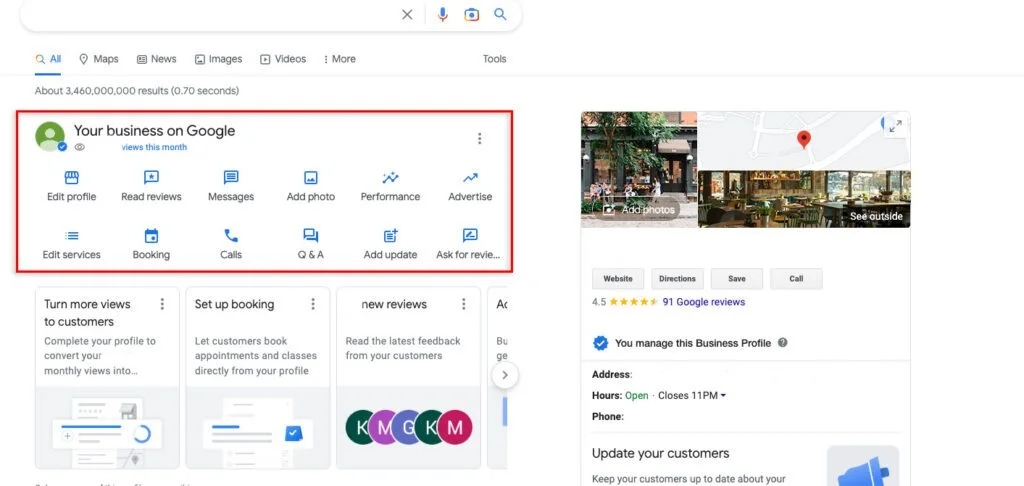
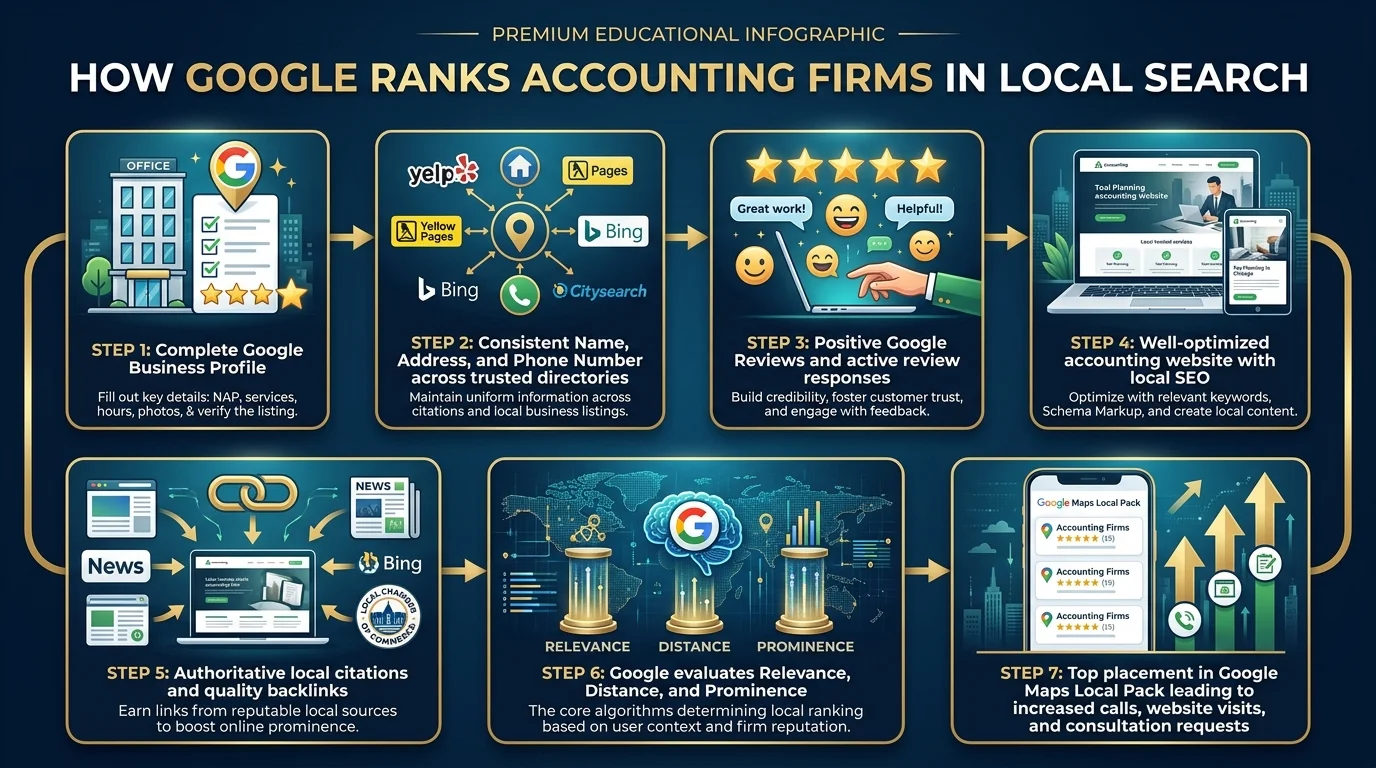
Google Business Profile, often shortened to GBP, is one of the most powerful free tools for local SEO for accountants. When someone searches for an accountant nearby, Google shows a map with a short list of businesses called the Google Map Pack. Firms that fill out their profile correctly are far more likely to appear in this list.
This matters for accounting firms, CPA firms, bookkeeping services, tax advisors, banks, credit services, loan officers, and wealth management firms alike. A complete and accurate profile builds trust and credibility before a potential client ever visits your website.
Search engine optimization works best when online and offline information match. GBP is often the first thing a client sees, so setting it up properly is a key part of any accounting firm marketing strategy.
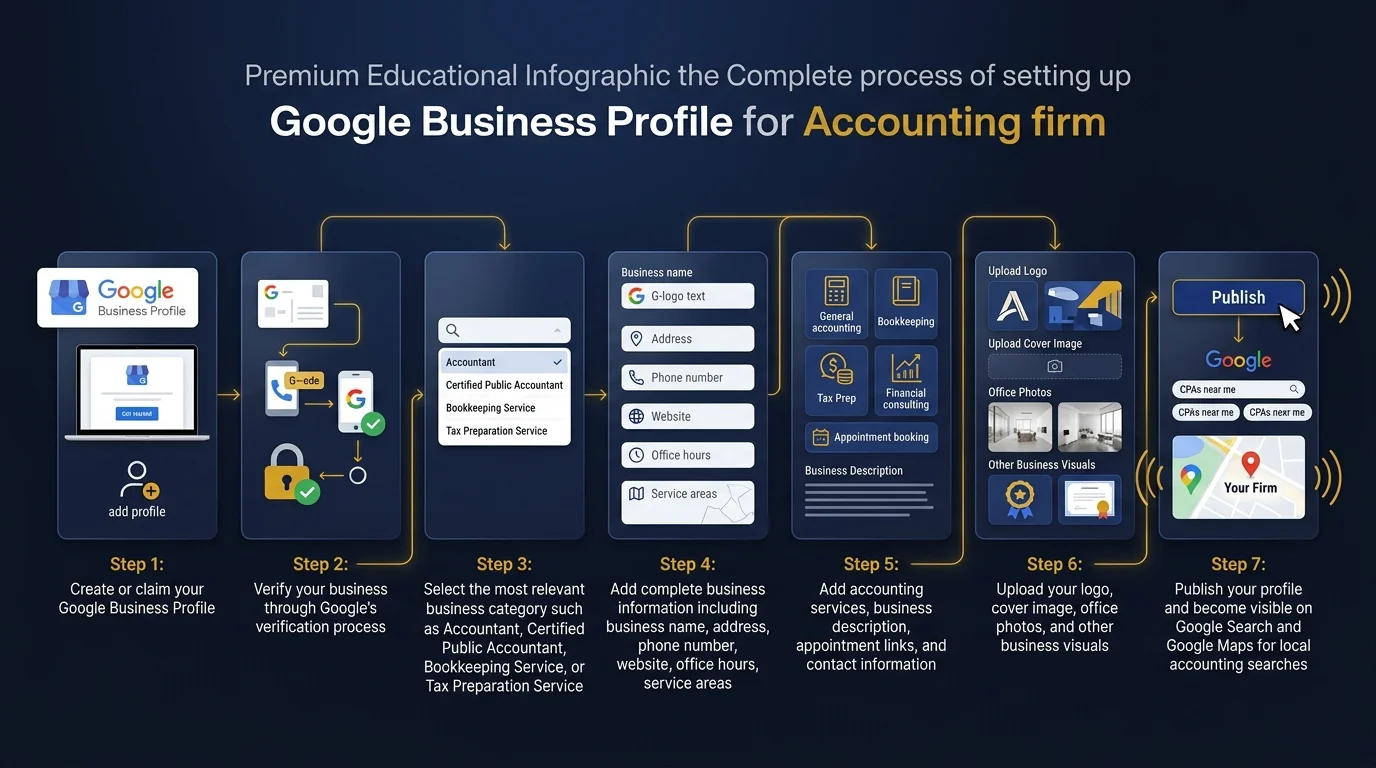
Step One: Claim and Verify Your Listing
Search your firm name on Google. If a listing already exists, click the option to claim it. If not, you can create a new one directly through Google Business Profile. If you're building a new practice, follow our guide on how to build local visibility from scratch and executing a GBP setup for a new practice.
Verification usually happens through a postcard, phone call, or email, depending on your location. This step confirms that you are the real owner of the business, which protects your firm from fake listings created by others. If you manage multiple office locations, review our instructions for managing multiple Google Business Profiles.
Step Two: Choose the Right Business Category
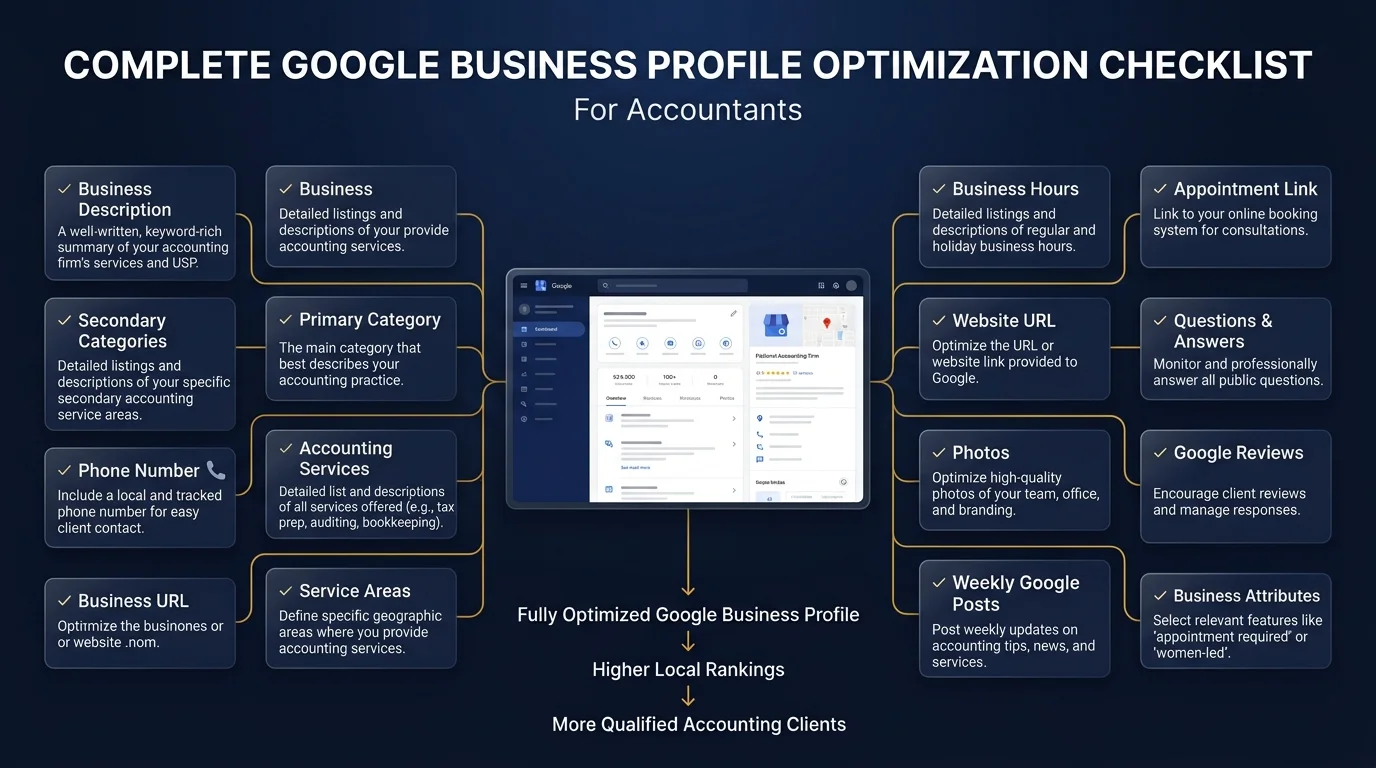
Picking the correct category helps Google understand what your firm does. Most accounting firms should choose Accountant as their main category. Refer to our guide on the best categories for accountant GBP.
You can add secondary categories such as Tax Preparation Service, Bookkeeping Service, or Financial Consultant if those services apply. This step supports your keyword optimization strategy because Google uses categories to match your firm with relevant searches, even before reading your description.
Step Three: Add Accurate Business Information
Fill in your business name, address, and phone number exactly as they appear on your website. This consistency is called NAP consistency, and it is one of the most important local SEO ranking factors. If your firm has no search history yet, review building citations with no search history.
Add your business hours, including special hours during tax season. Many firms forget to update this, which can frustrate potential clients who show up or call outside business hours.
Include your website link so visitors can move smoothly from your profile to your site. A well built site with mobile responsive design and fast page speed will help turn these visits into real client acquisition.
You can naturally include terms like accounting firm SEO services, SEO for accountants, or local SEO for accountants using insights from accounting keyword research, but avoid repeating the same phrase too many times. This practice, known as keyword stuffing, can hurt your ranking instead of helping it.
Step Five: Upload Photos and Branding
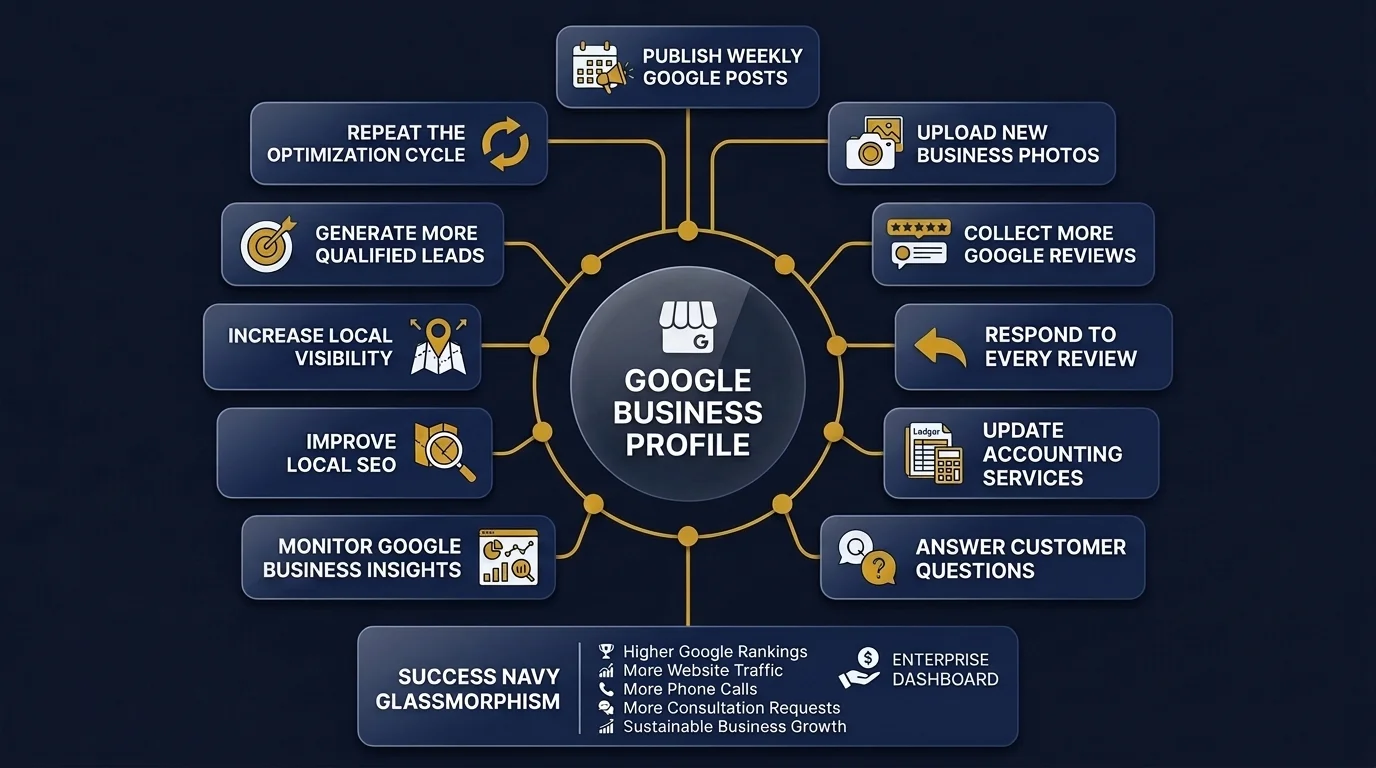
Photos help build trust with new clients. Add an image of your office, your team, and your logo. Explore our guide on GBP photos for accountants. Profiles with real photos tend to get more clicks than those without any images at all.
Make sure your photos are compressed properly. Image compression supports faster loading, which connects to broader technical SEO efforts like Core Web Vitals and page speed optimization.
Step Six: List Your Services in Detail
Add every service your firm offers as a separate listing inside your profile. Explore dedicated service pages on our site for:
Detailed service listings help with target audience identification and improve your chances of matching searcher intent.
Step Seven: Set Your Service Area
If your firm serves a specific city or region, set this in your service area settings using geo-modifier keywords. This supports local SEO and helps your firm appear in searches limited to that area.
If you serve clients in multiple locations, consider building separate neighborhood SEO pages and multi-location pages on your website that match the areas listed in your profile.
This behavior supports your E-E-A-T signals, which stand for Experience, Expertise, Authoritativeness, and Trustworthiness.
Step Nine: Use Posts to Stay Active
Google allows business owners to post short updates directly on their profile. Learn more about GBP posts for accountants. Share helpful content such as tax deadline reminders, new service announcements, or simple financial tips for small business owners.
These updates support your content marketing strategy and signal to Google that your business is active and engaged.
Step Ten: Add Structured Information for Better Results
Linking your website to your GBP profile works best when your site also uses schema markup. This structured data helps search engines display rich results directly in search listings.
Some accounting firms accidentally create more than one listing for the same business. This duplication confuses both clients and search engines, so it is important to check for and remove duplicate profiles. Audit your setup using our accounting local SEO checklist.
Setting up Google Business Profile correctly gives accounting firms a strong head start in local search. From CPA firms to bookkeeping services and tax advisors, every type of accounting professional can benefit from a profile built with care and kept up to date.
The standard verification postcard usually arrives at your physical accounting office within 5 business days. In some cases, Google may offer instant verification via business email, phone, or video recording showing your office entrance and permanent signage.
Your primary category should always be 'Certified Public Accountant' or 'Accounting Firm'. You can then add secondary categories like 'Tax Preparation Service', 'Bookkeeping Service', 'Payroll Service', and 'Financial Audit Service' to cover your full suite of practice offerings.
Yes. Every physical office location requires its own verified GBP listing with its distinct address and local phone number. Do not combine multiple locations into a single listing, as this causes NAP inconsistencies and penalties on Google Maps.
If you operate a virtual accounting practice without a physical client office, you can set your profile as a Service Area Business (SAB) to hide your address while defining the cities and zip codes you serve. However, physical offices that display their address generally rank higher in Google Maps.
Reviews act as a critical local ranking factor and conversion driver. Google indexes keywords within review text, boosting your relevance for terms like 'business tax returns' or 'CFO advisory'. Generating 5-star reviews consistently helps your firm rank in the Local 3-Pack.
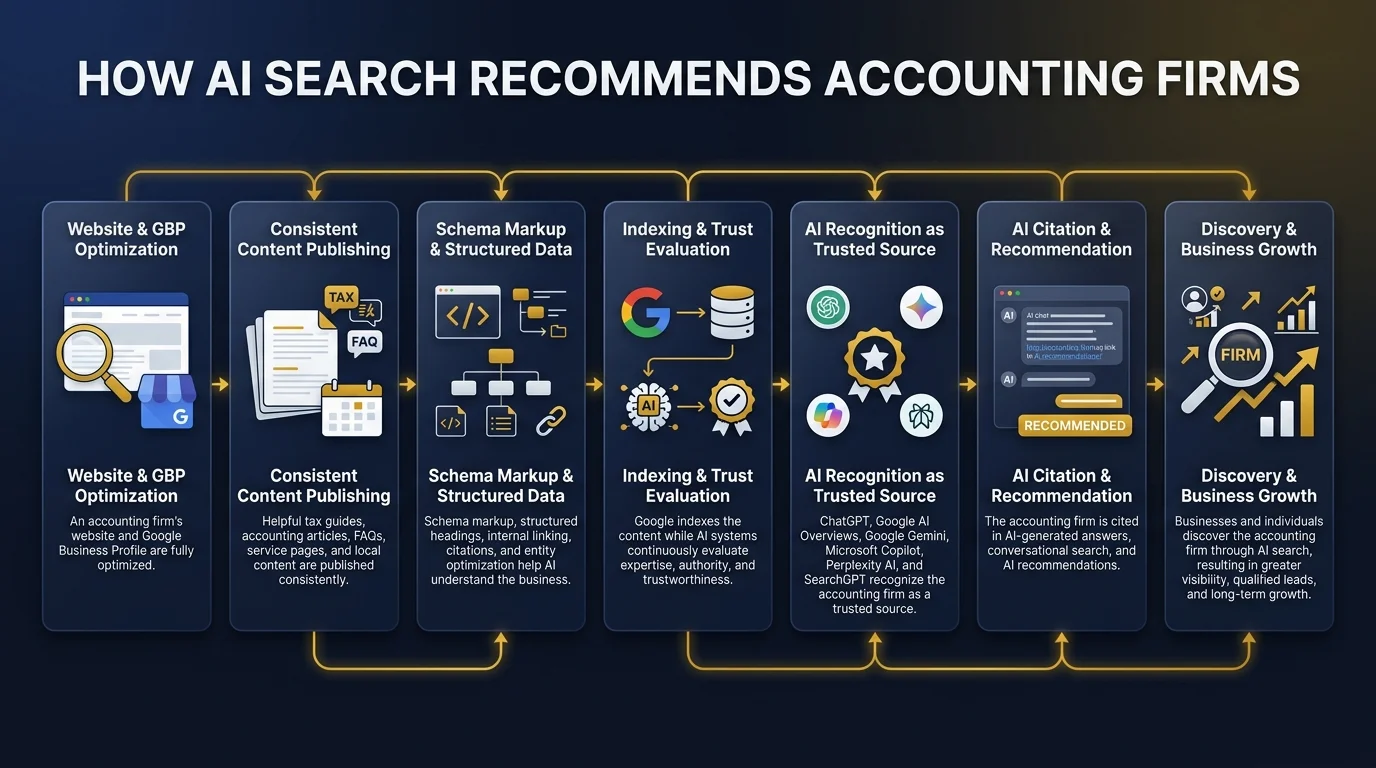
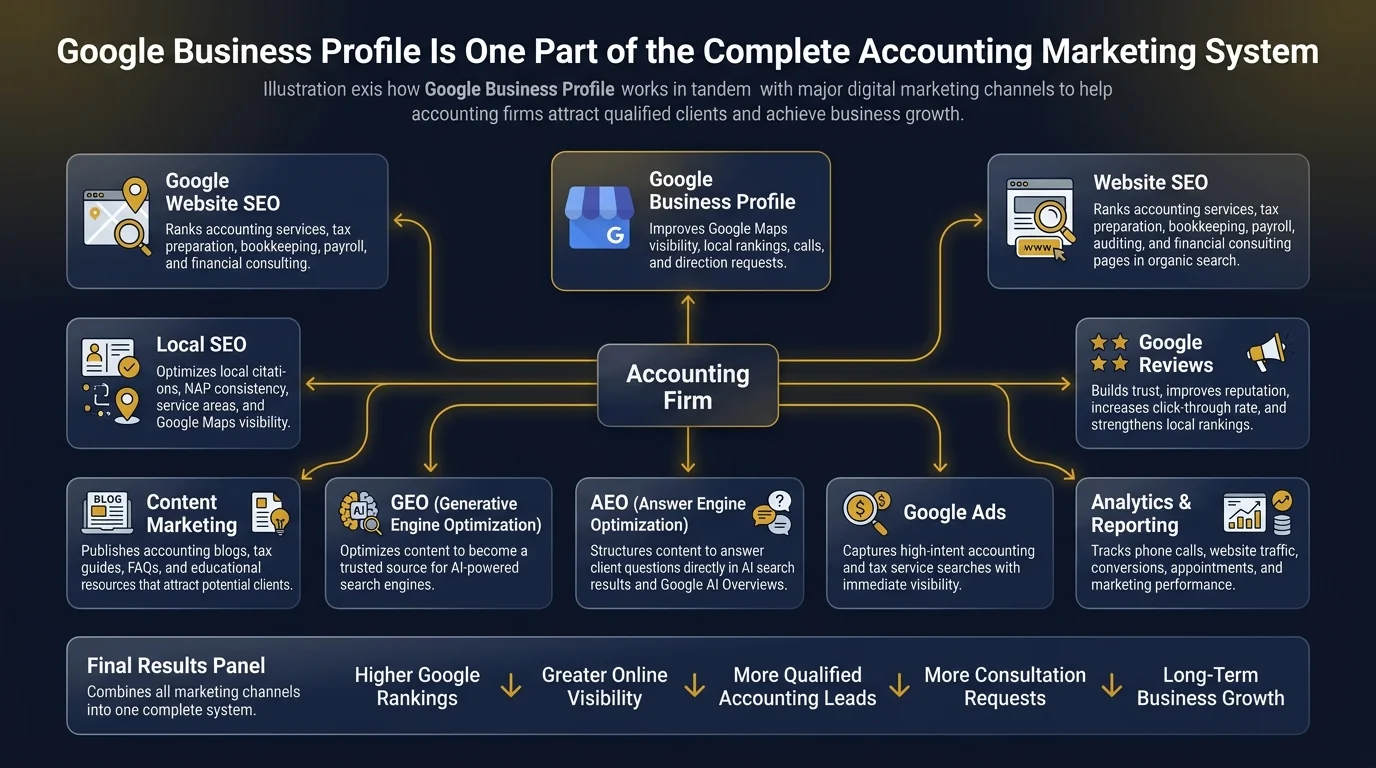
GEO and AEO structure your GBP, website schema markup, NAP data, and client reviews so your accounting practice gets cited directly when potential clients ask AI assistants like ChatGPT, Perplexity AI, and Google Gemini for accounting recommendations.
Get Started
Get Your Free GBP Setup Audit
Audit your accounting practice GBP verification, categories, NAP consistency, and local map rankings with our expert team.